Profile management
App, profile, and page settings
Adjust app-wide preferences, change a single profile's name, color, or unit, and toggle measurement pages on or off.
Dress Measurement offers three categories of customizable settings: app settings, profile settings, and page settings.
App settings
Access general app settings via the cogwheel icon in the top-right corner of the home page. From there you can subscribe to Tailor Shop or pay a one-time fee to remove ads forever, manage iCloud settings, restore purchases, and adjust the app’s theme.
Profile settings
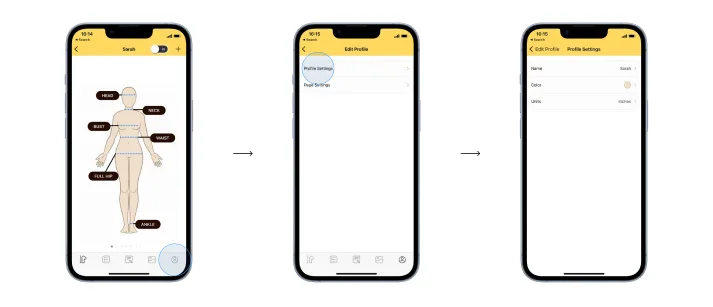
Each profile lets you customize its name, color, and measurement unit. To modify these settings:
- Select a profile.
- Tap the user icon (bottom left).
- Choose profile settings to adjust name, color, or measurement unit.
Page settings
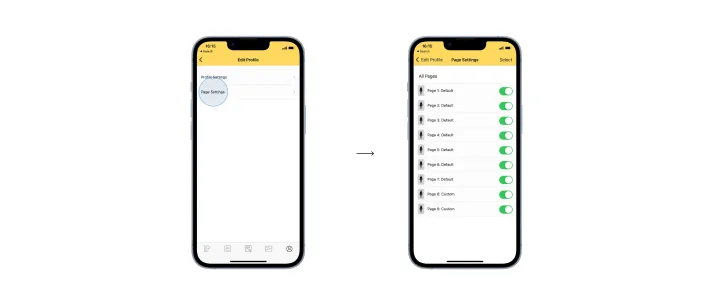
This feature controls page visibility within the app. You can toggle avatar pages on or off; disabled pages remain hidden until re-enabled. Access this through the same user icon menu and select page settings.