
Free
- 7 profiles on iPhone and Android
- Manual measurement entry in cm and in
- Body Scan with phone camera, no tape required
- Size recommendations across all 122 brands
- iCloud backup (iPhone)
- PDF export
The workflow
Measure once with a tape or your phone camera, keep a profile for yourself or for every client, and let the app work out the size for the brand in front of you. Dress Measurement is on iPhone and Android, for shoppers who want to stop guessing and for tailors who measure people all day.



There are two ways into the app and they end in the same place. Enter a measurement by hand and an illustrated guide shows you where the tape goes, in centimetres or inches, whichever you picked for that measurement. Or run a Body Scan, which takes three photos with your phone camera and removes the background, and then draw a line across the photo at the exact point you want measured.
Measuring, including the Body Scan photo processing and the lines you draw, happens on your device, and there is no account to create first. The one thing Body Scan can send us is an optional, anonymous copy of the silhouette, pose points and measurement details, and only if you turn sharing on. The photo is never uploaded. If you are new to tape work, the measurement guide covers each point in order.


Every time you save a new value the old one is kept. Open List View and tap a measurement row, and you get a chart of that single measurement over one month, six months, a year or the whole history, with the first value and the current one side by side. It is the quickest way to see whether a waist is actually moving or whether two readings just disagreed.
For a tailor the same chart answers a different question: how much has this client changed since the last garment you cut for them.

A profile holds one person's complete set of measurements under a name and an avatar you choose. Make one for yourself, one for each person in the house, or one for every client who walks in. Profiles never touch each other, so correcting a hem length on one leaves the rest alone.
The Free tier gives you 7 profiles on iPhone and Android. That is enough for a family, and not enough for the tailors and sewists in West Africa, South Asia and Southeast Asia who open the app forty times a day, which is what the unlimited profiles in Tailor Shop are for. If that is your trade, the tailoring overview goes deeper; if you are here to shop, start with the shopper's view.
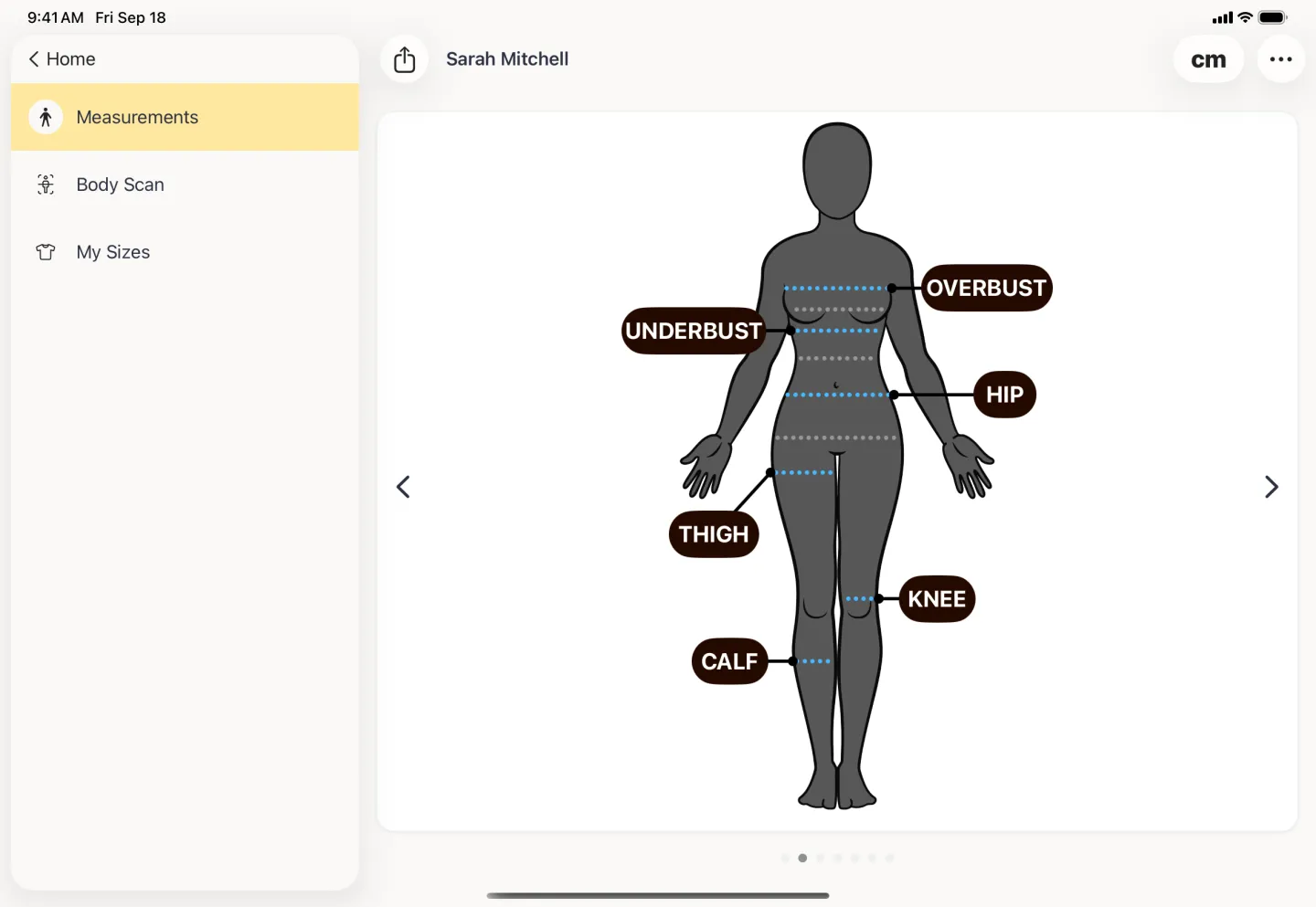

Pick a brand and a garment category and the app compares your saved measurements against that brand's own published size chart, and 122 brands are supported. You get a size and a confidence level with it: high when every measurement sits inside the range for that size, medium or low when at least one of them falls outside the range, so the size is the closest fit rather than a comfortable one and the neighbouring size is worth a look. Open the brand and you can see the individual measurements that produced it.
Size recommendations are free on every tier. That is deliberate. The full method, including what to do with a low result, is on the size recommendations page.


Any profile turns into a formatted PDF: a labelled figure, the measurements grouped a page at a time, and the units they were taken in. Send it to a tailor in another city, print it for the workroom wall, or attach it to an order. PDF export is on the Free tier, on iPhone and Android.
CSV export, the flat file that opens in a spreadsheet or feeds pattern software, comes with Tailor Shop.
On iPhone and iPad your profiles also sync through iCloud, so the same measurements are on every Apple device you sign into. On Android, Cloud Sync does the same job as part of Tailor Shop; on the Free tier, export is how you move them.

Tailor Shop
Once the measurements are in, the rest of the job is admin: who ordered what, when it is due, what is still owed, and who needs telling. Tailor Shop puts that on top of the profiles you already keep, so an order knows whose body it is being cut for. The shop suite runs on iPhone, iPad and Android, and every size recommendation works the same on every platform.
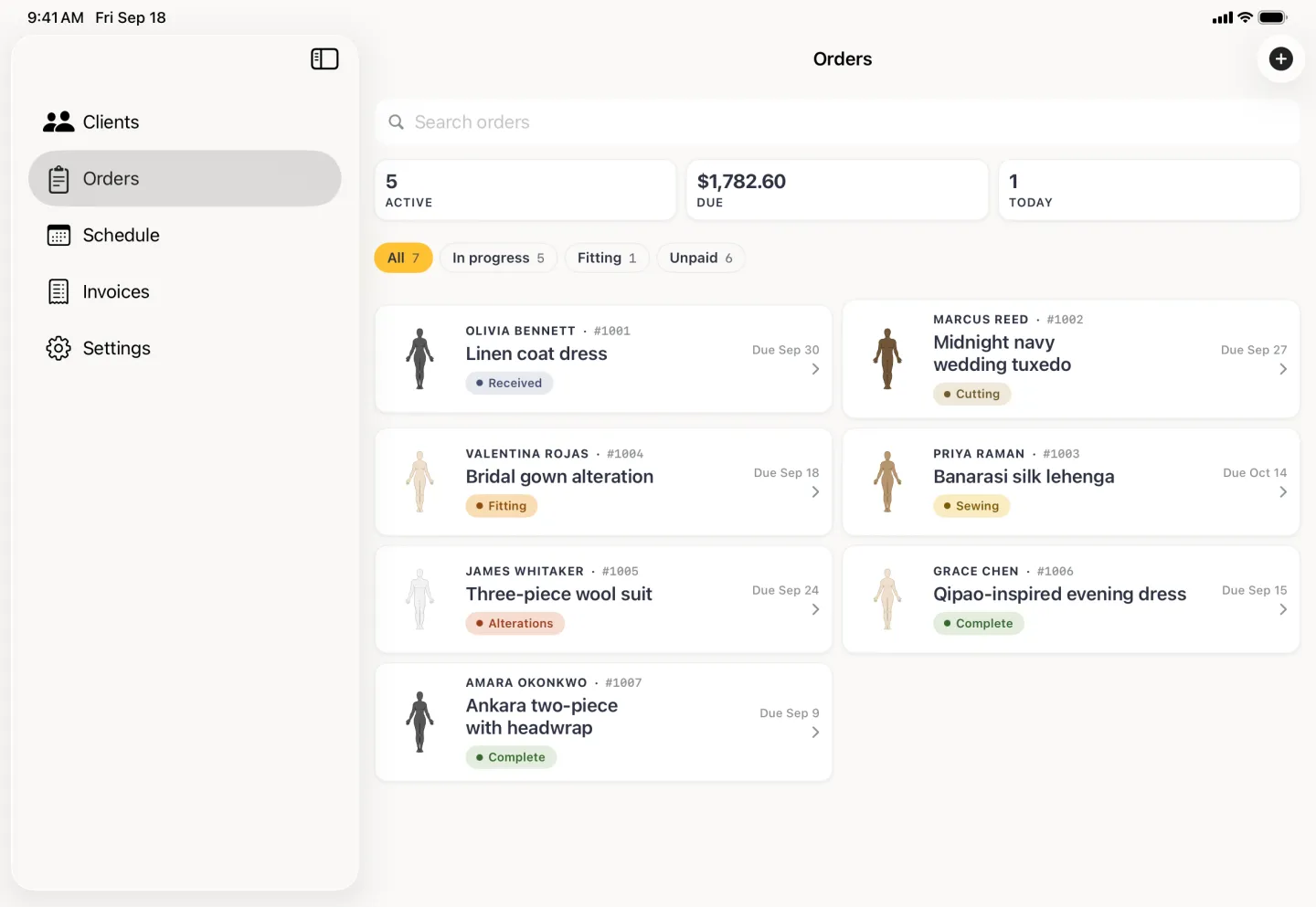

The whole book on iPad, one order in your hand on iPhone.
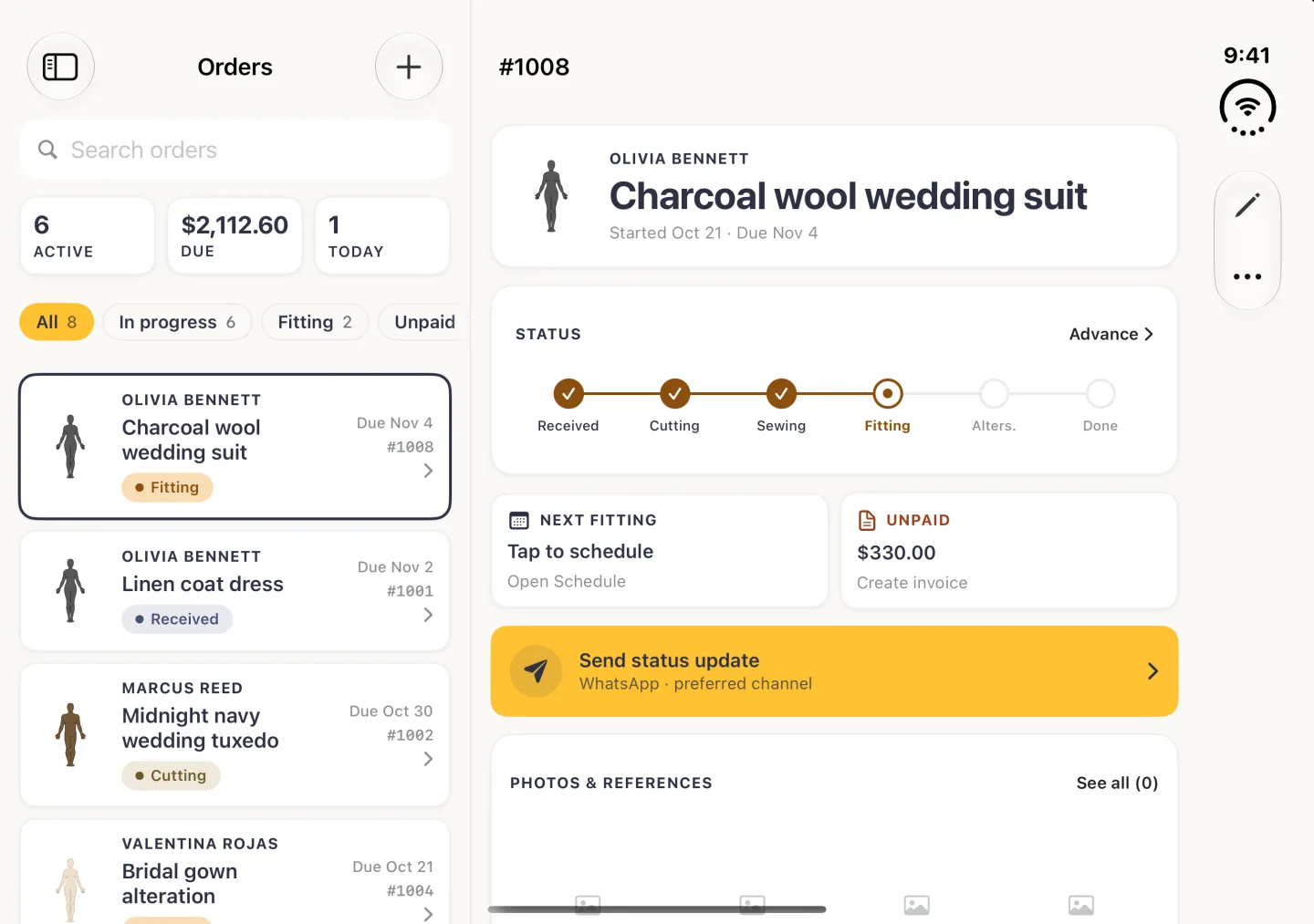
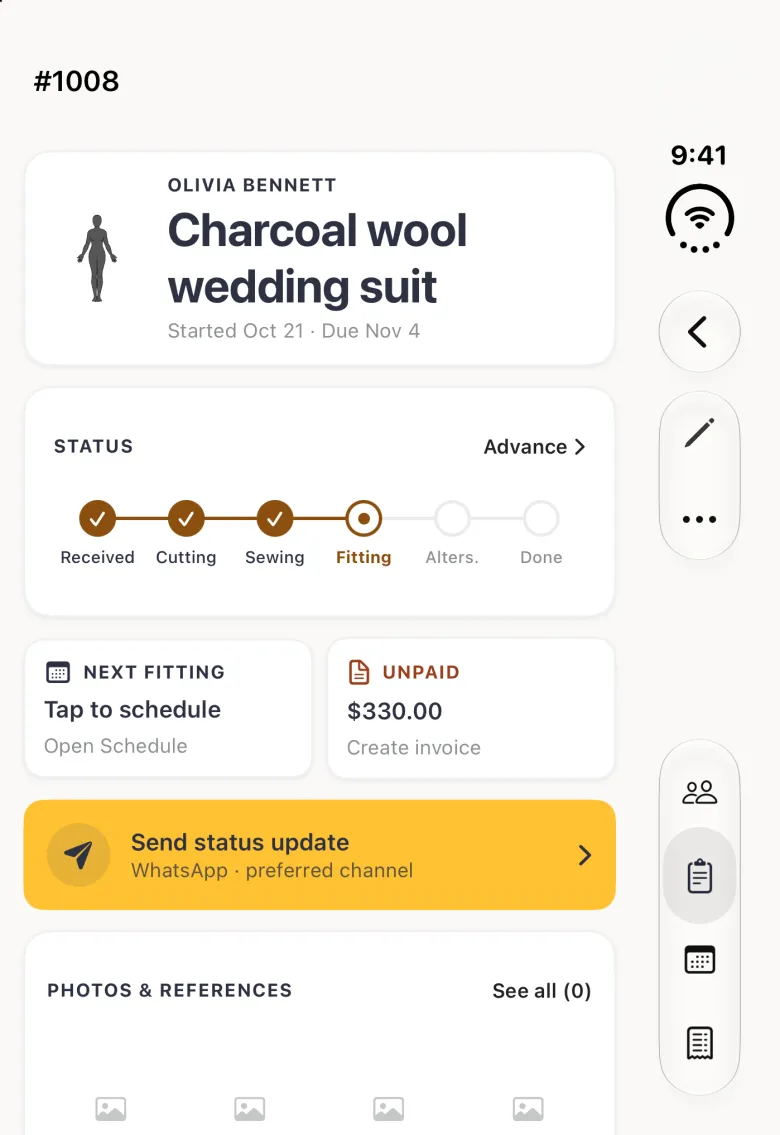
Open an iPhone Duo and the order list stays on the left while the order you are working on opens on the right, and folding the phone keeps your place. This comes with version 2.3 of the iPhone app; on Android foldables the app runs as a regular phone app.
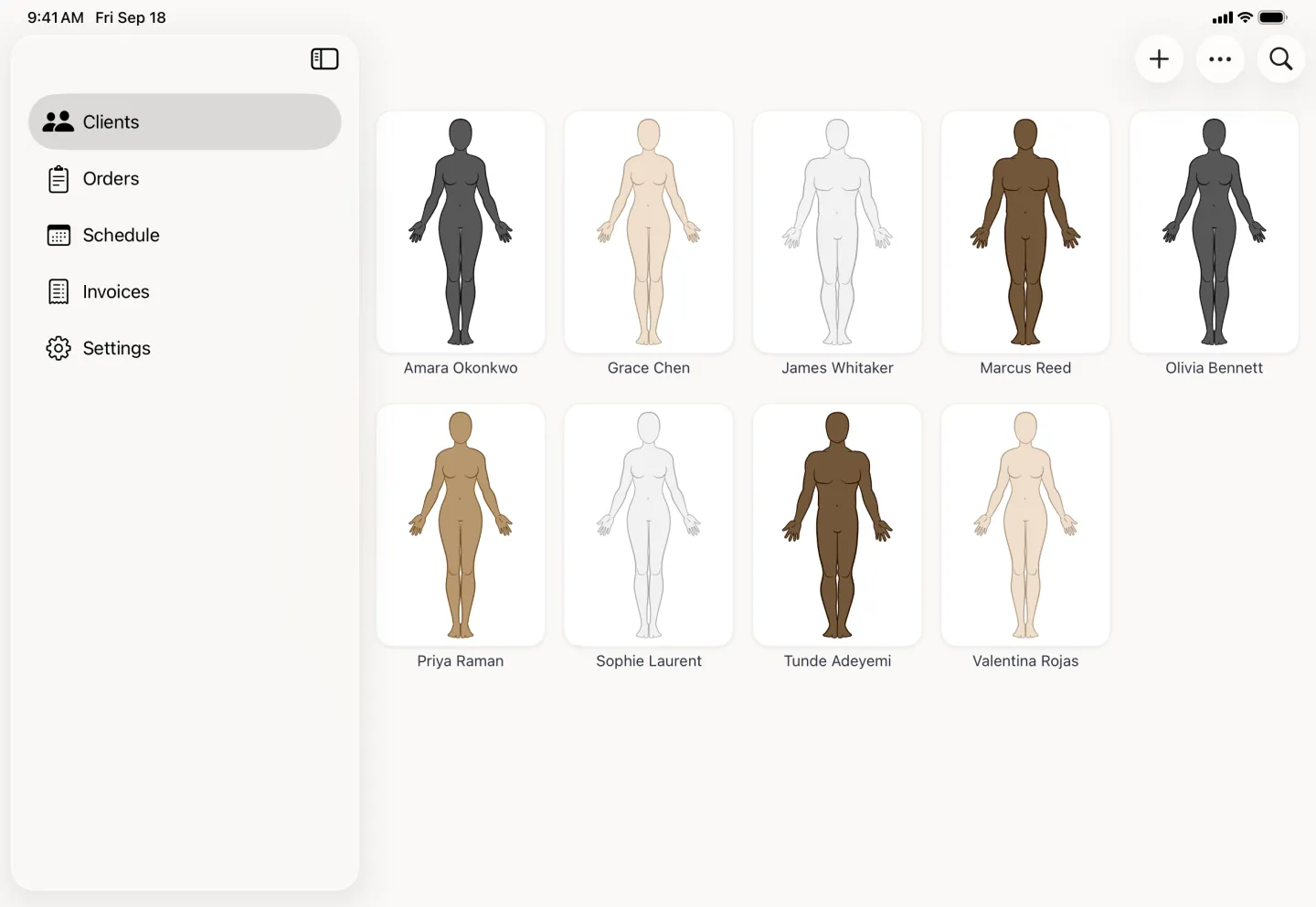
A client is a profile with a phone number, an email address and a preferred way of being contacted attached to it. The grid sorts by name or by when you added them, and the search field finds anyone in it. On iPhone it is a scrolling grid; on iPad the same grid sits beside the tab sidebar.
Nothing here is shared anywhere. The details sit in your own copy of the app, and the clients help article walks through adding the first one.
An invoice starts from the order it belongs to, so the client, the garment and the price are already filled in. Add line items, set a tax rate, deduct a deposit, and the balance owed is worked out for you. Log each payment as it comes in and the balance drops with it. One switch at the foot of the invoice marks it settled.
The list leads with what is still owed on every invoice, with the total it was raised for beside it, which is the number you actually need at the end of a week. Your business name, logo and details print at the top of each one. Invoicing is on iPhone, iPad and Android.


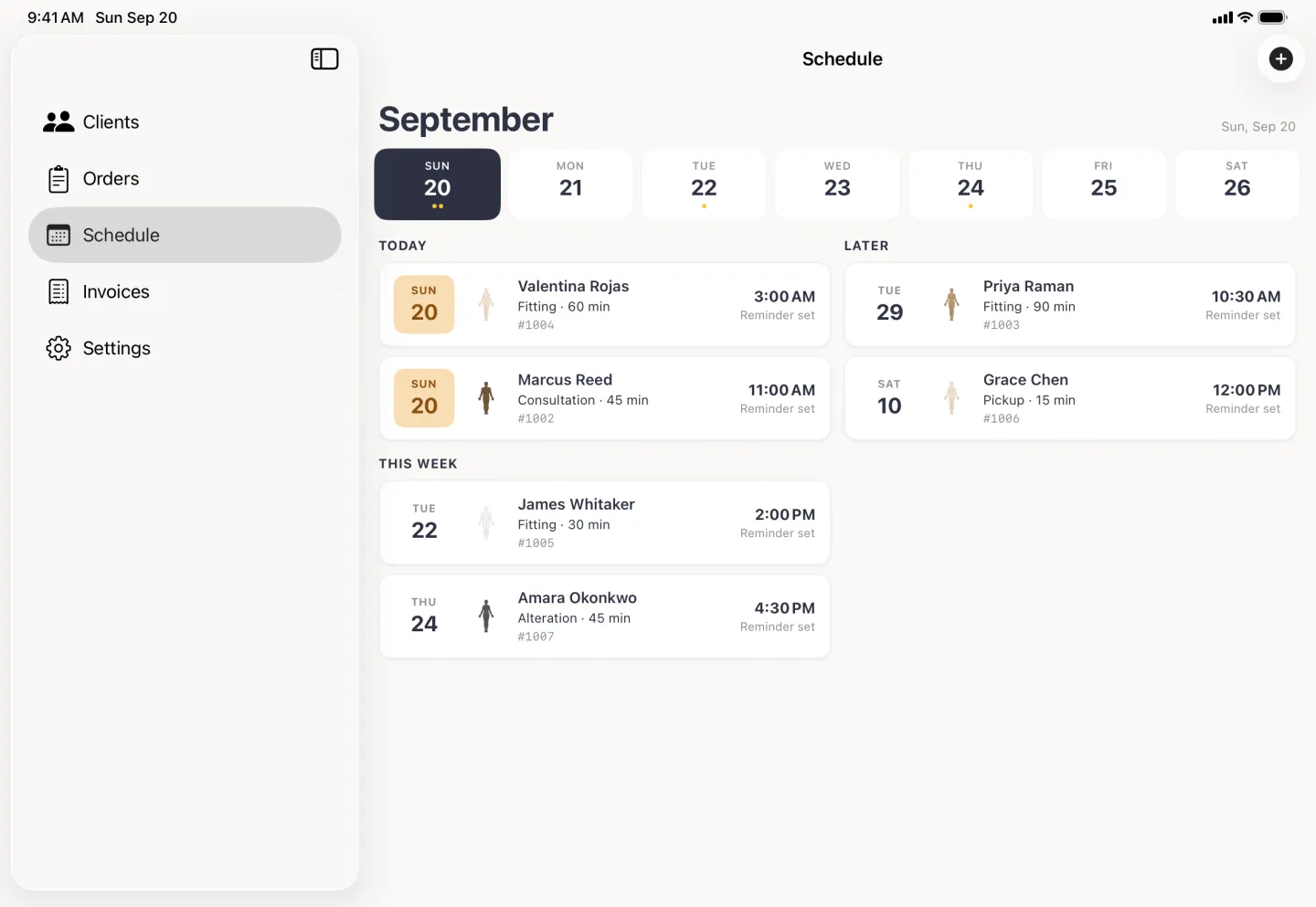
Appointments group themselves by how soon they fall due, so today and tomorrow sit above this week, and this week above later. Each one can carry a reminder, and one tap copies it into your own calendar or sends the client an invite. The fitting is attached to the order, which means you never have to remember which garment it was for.
When it is time to tell someone, the app fills a message template from the order and the appointment and hands it to WhatsApp, Messages or Mail with the text already written, whichever that client prefers. Nothing goes out until you tap Send there. Scheduling and messaging are on iPhone, iPad and Android.

Some of what Tailor Shop unlocks is not a screen of its own: it is depth on the profile you already have. Draw a measurement the standard set does not cover and name it. Draw a reference line that carries no number, just a place you want to come back to. Attach photos with tags and captions, and free-text notes for anything that does not fit a field.
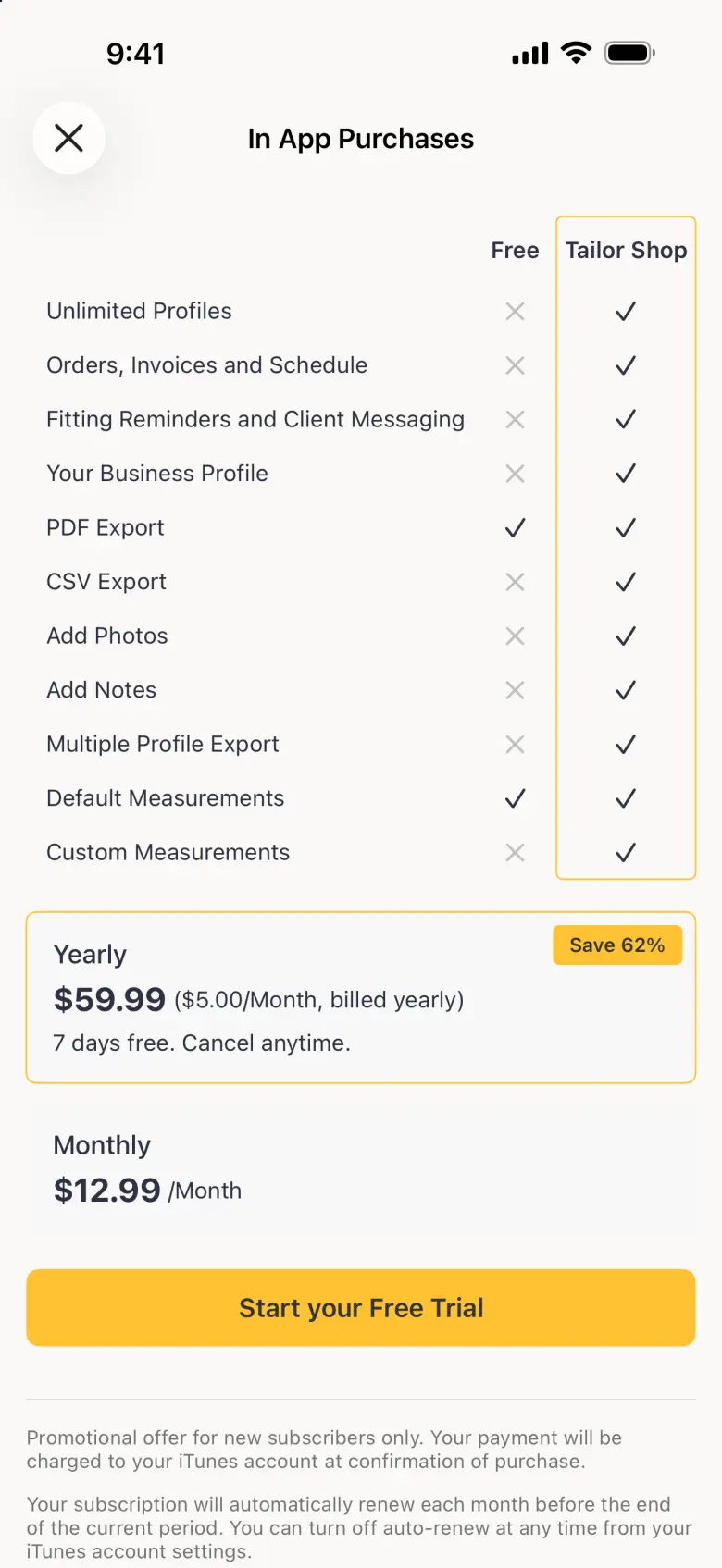
These four, plus CSV export for spreadsheets, pattern software and your cutters, are on iPhone, iPad and Android with Tailor Shop.


The free app is a complete measurement app, not a trial: seven profiles, both ways of measuring, PDF export and every size recommendation. No ads on iPhone or Android. Tailor Shop is for the people whose living depends on this, and it lifts the profile cap and opens the shop suite.
The six things people ask before they download. Accounts, the free limits, what the camera does, and what the shop suite covers on Android. Longer answers to more of them live on the FAQ page.
No. There is no sign-up, no password and no email address to hand over to start measuring. Your profiles live on your device, and on iPhone they back up to your own iCloud account. The one exception is Cloud Sync on Android, an optional Tailor Shop feature that asks you to sign in because it keeps a copy of your data on our servers.
Seven, and the number is the same on iPhone and on Android. Tailor Shop lifts the cap so you can hold a whole client book.
Yes. Body Scan and the drawing tools that turn a scan into numbers are free on iPhone and Android, with no photo leaving your device. If you choose to share an anonymous copy to help improve Body Scan, it is the silhouette, pose points and measurement details that are sent, never the photo, and sharing is off unless you turn it on.
No. Every size recommendation, for every supported brand, is free on every tier. We would rather more people knew their size than charge for the answer.
Yes. Clients, orders, invoices, the fitting schedule and client messaging run on iPhone, iPad and Android. Size recommendations are free on every tier and every platform.
Any profile exports as a formatted PDF measurement sheet on every tier. Tailor Shop adds CSV export for spreadsheets, pattern software and the cutters you work with.
Available on iPhone and Android. Free to download and use.