Measuring
Sharing scan data
Optional, anonymous sharing of your Body Scan measurements helps train better automatic measurements. It is off unless you agree. Here is what is shared, what never is, and how to turn it off.
Body Scan can send an anonymous copy of each camera measurement you accept, to help train better automatic measurements. It is optional and off unless you agree to it, and your photo is never part of it. You can turn it off at any time.
What is anonymous scan sharing?
It is a way to help improve Body Scan. When you share, Dress Measurement receives a copy of the outline and measurement details behind a measurement you accepted, and uses it to train a model that automates body measurements. Nothing is shared until you say yes, and saying no does not change how Body Scan works for you.
When will Dress Measurement ask me?
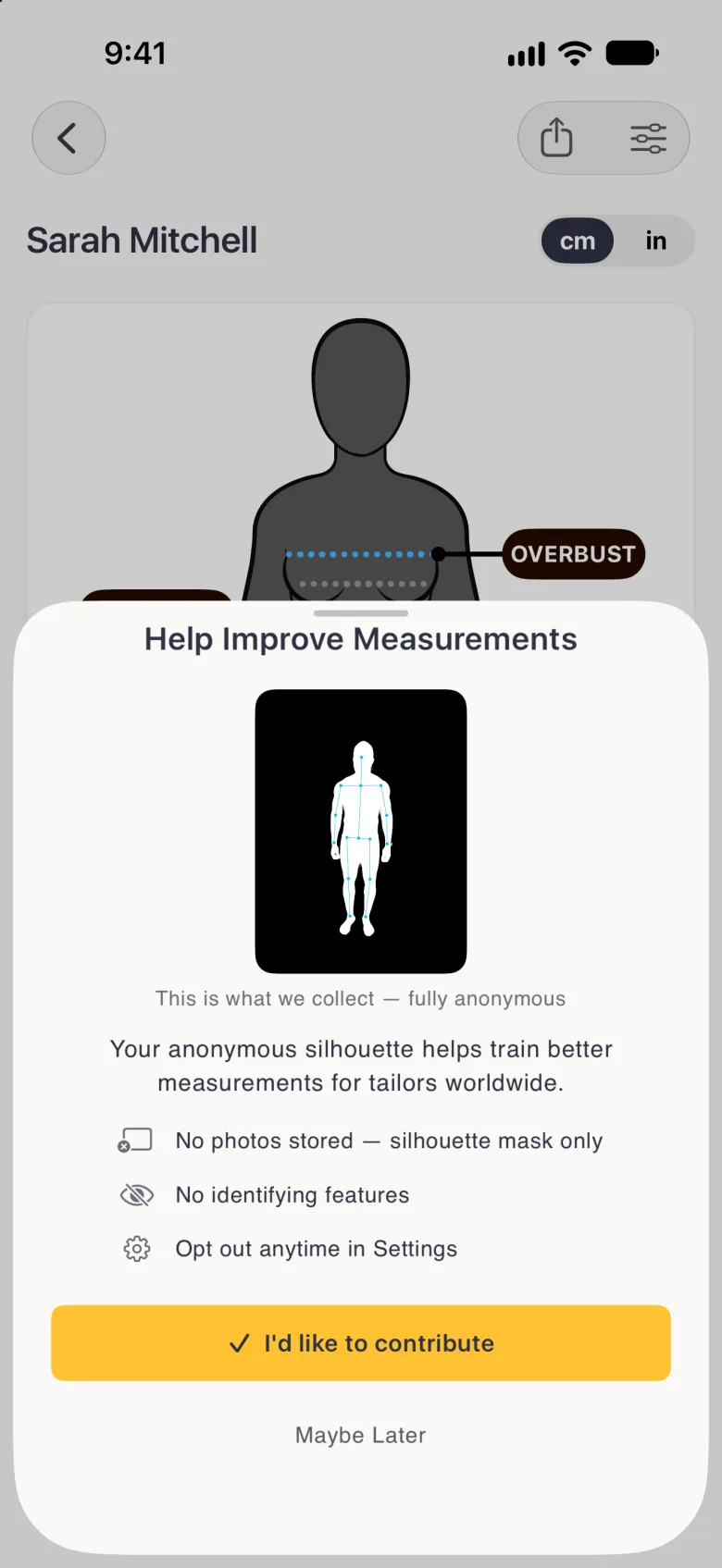
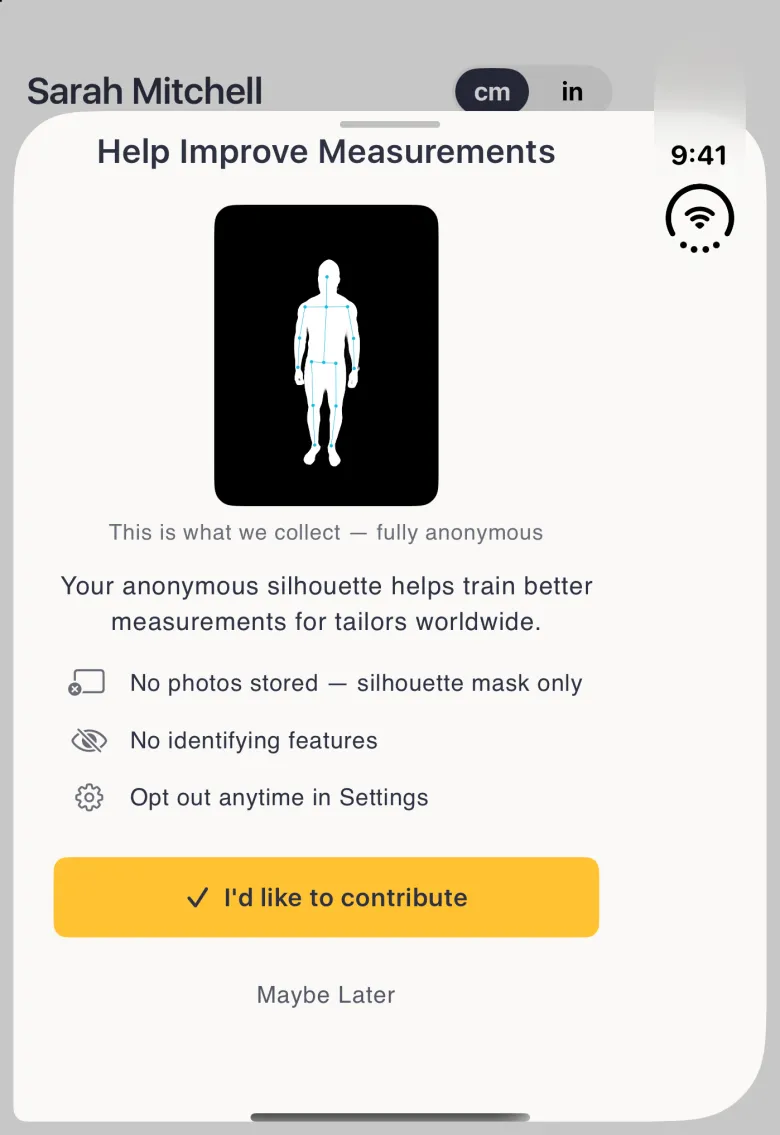
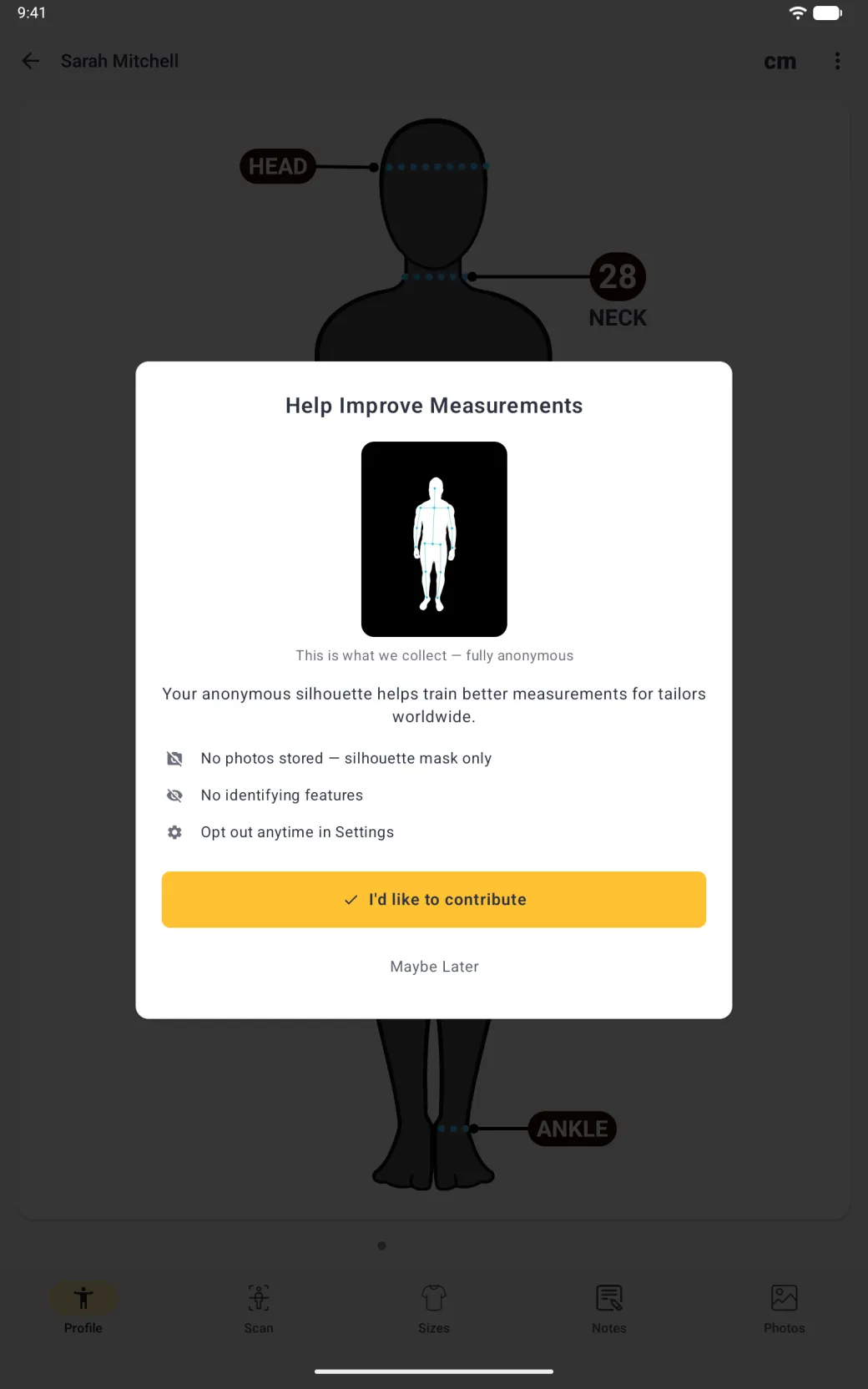
The app asks once you have taken a few Body Scan measurements. The Help Improve Measurements dialog opens as you return to the profile after saving a measurement. It explains what is collected, and you choose: tap I’d like to contribute to turn sharing on, or Maybe Later to leave it off.
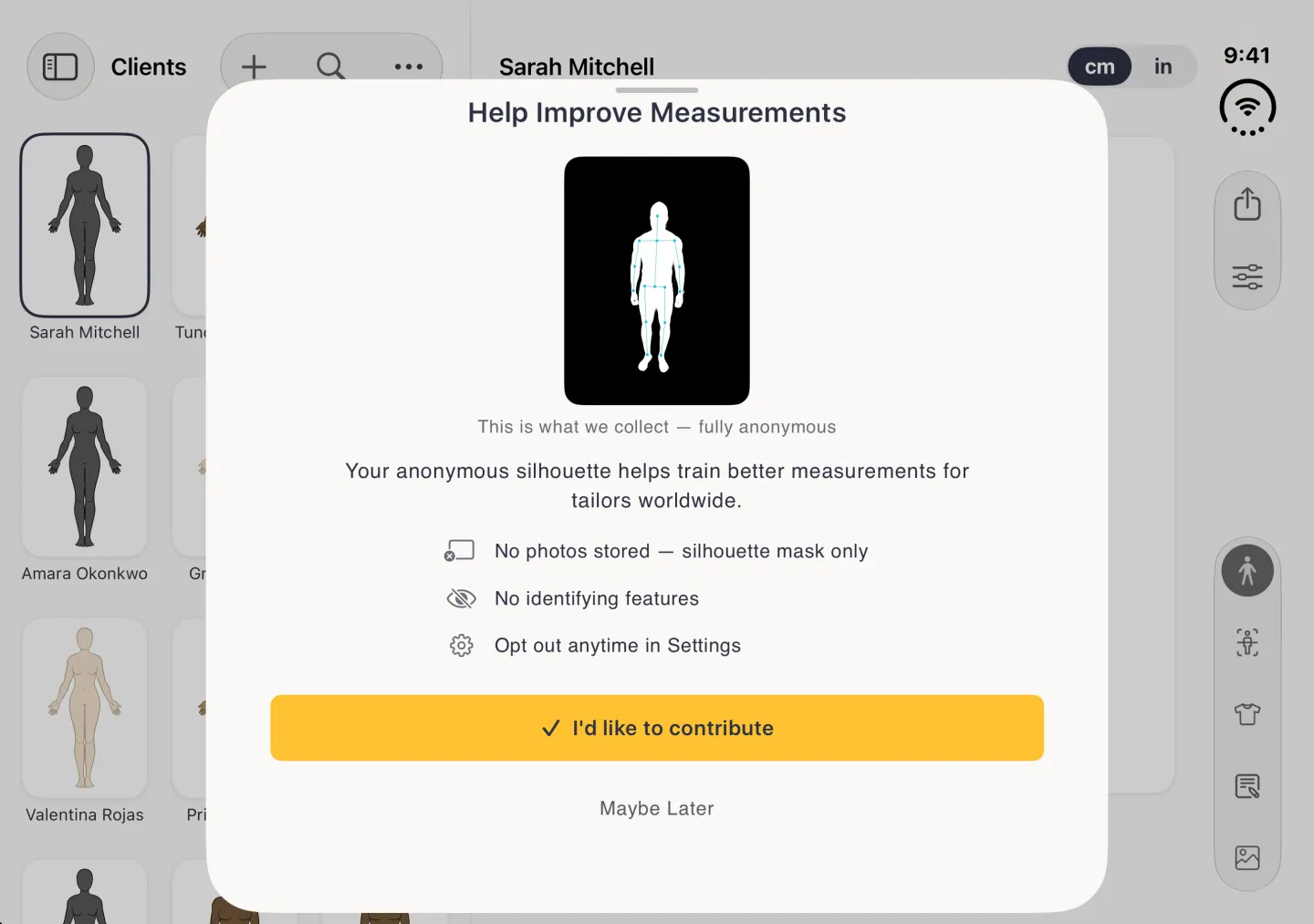
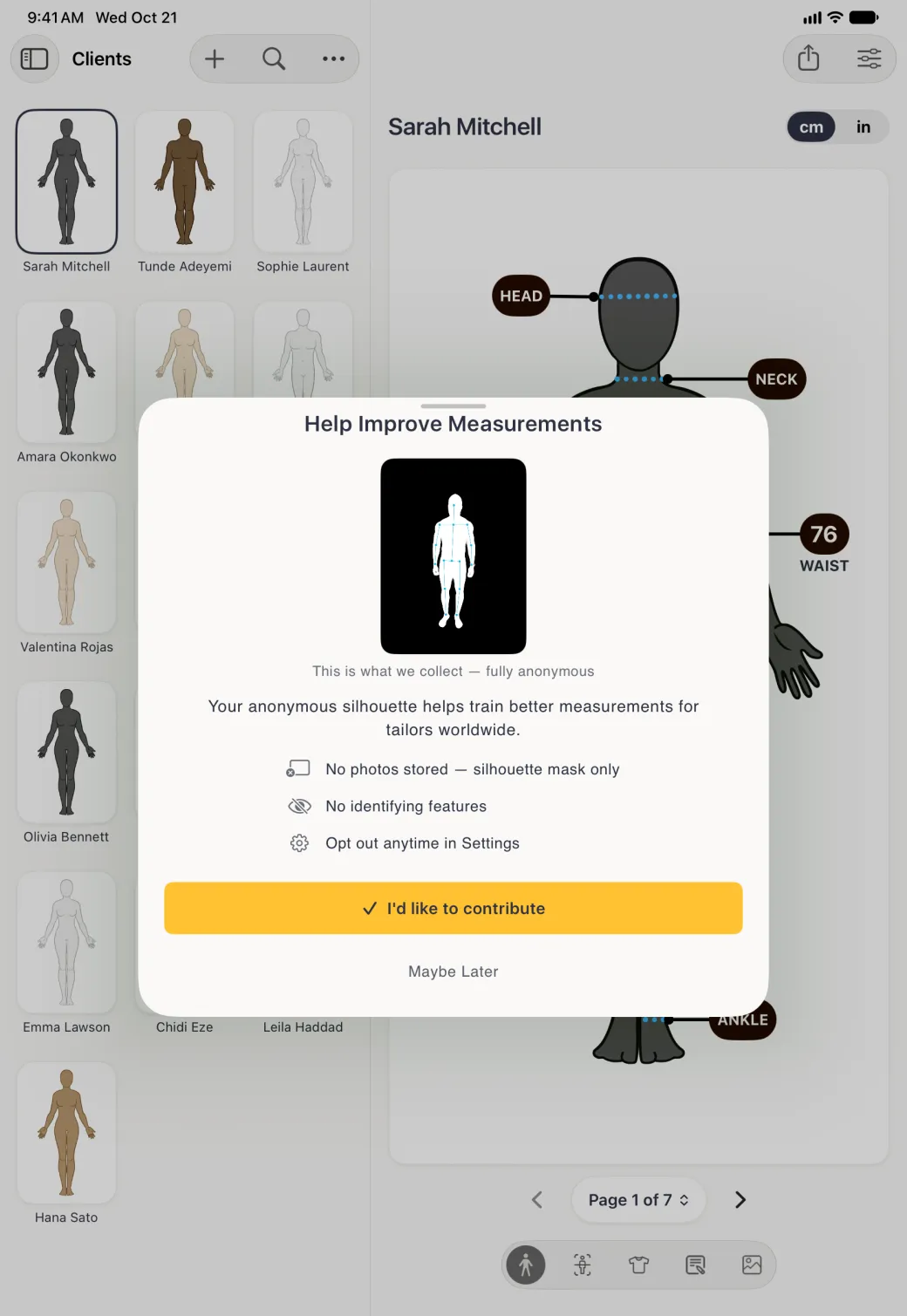

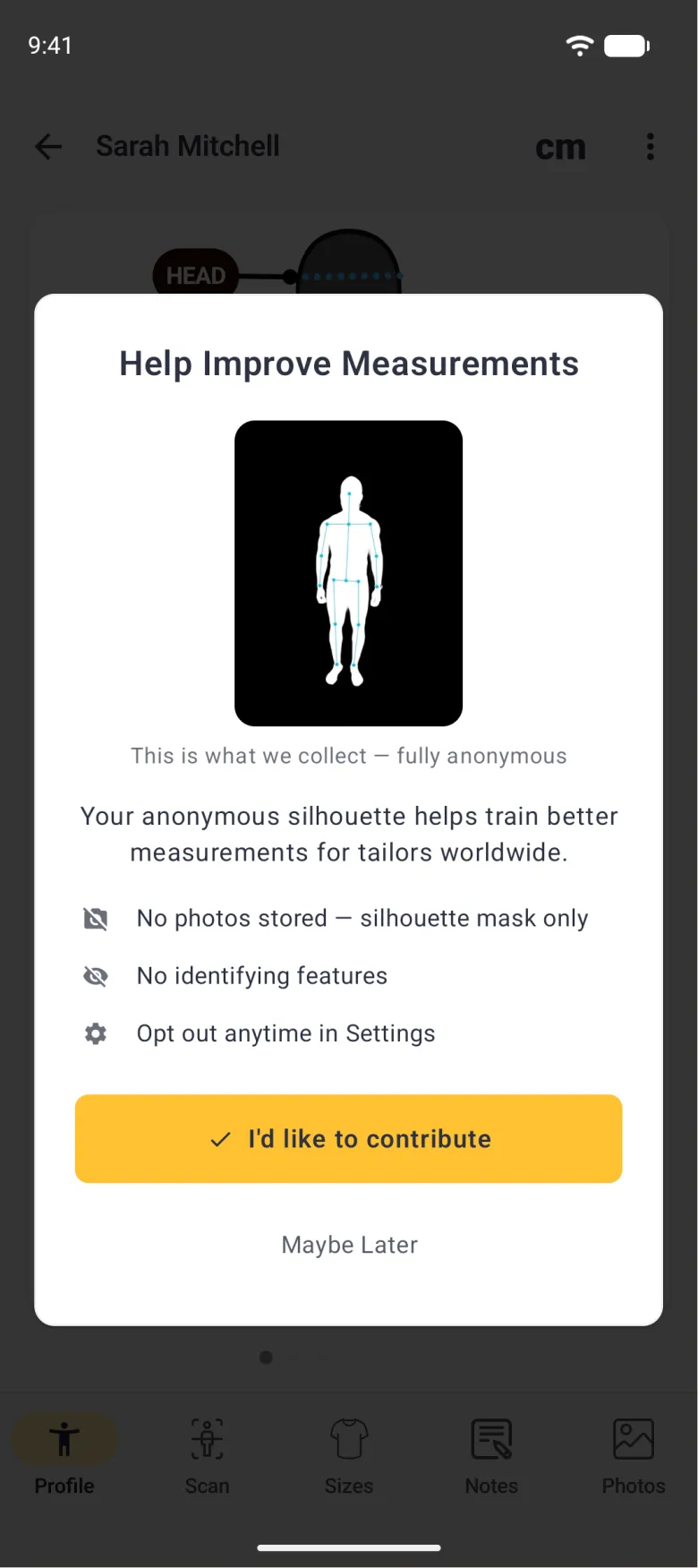
What exactly is shared?
With sharing on, each time you accept a camera measurement the app sends an anonymous copy with up to three parts. The silhouette is a black and white mask of the outline of your body. The pose points, sent only when the app has them, are the locations of joints such as your shoulders, hips and ankles. The measurement details cover the following.
- The height on the profile and its male or female setting.
- The lines you drew and the value you accepted.
- Which view it came from: front, side or back.
- The phone model, operating system and app version.
- The camera and phone-tilt settings recorded during the capture.
- The time.
Your photo is never sent, and neither are your name, the profile or its ID, your notes, or an account. Sharing does not need an account.
Here, anonymous means no identity. Nothing in a shared copy, and nothing stored with it, names you or ties it to your profile, your account or your install of the app. It does not mean the copy says nothing about a body: a silhouette, a height and measurements are body data, and they are kept in a private, encrypted storage bucket. Like any request to a server, an upload reveals your IP address, which routine server logs keep for 90 days and which is never joined with shared copies. The privacy page has the full detail.
How do I turn sharing on or off?
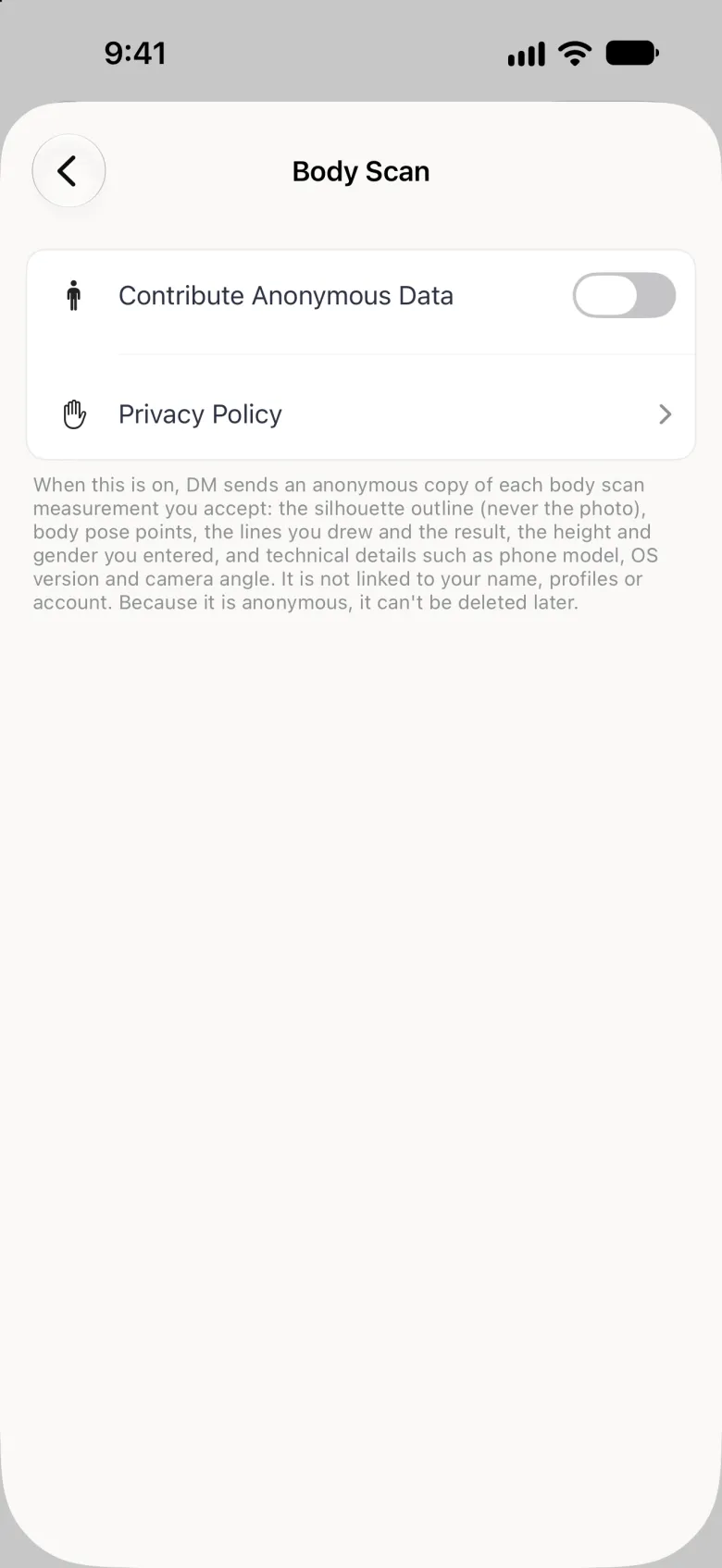
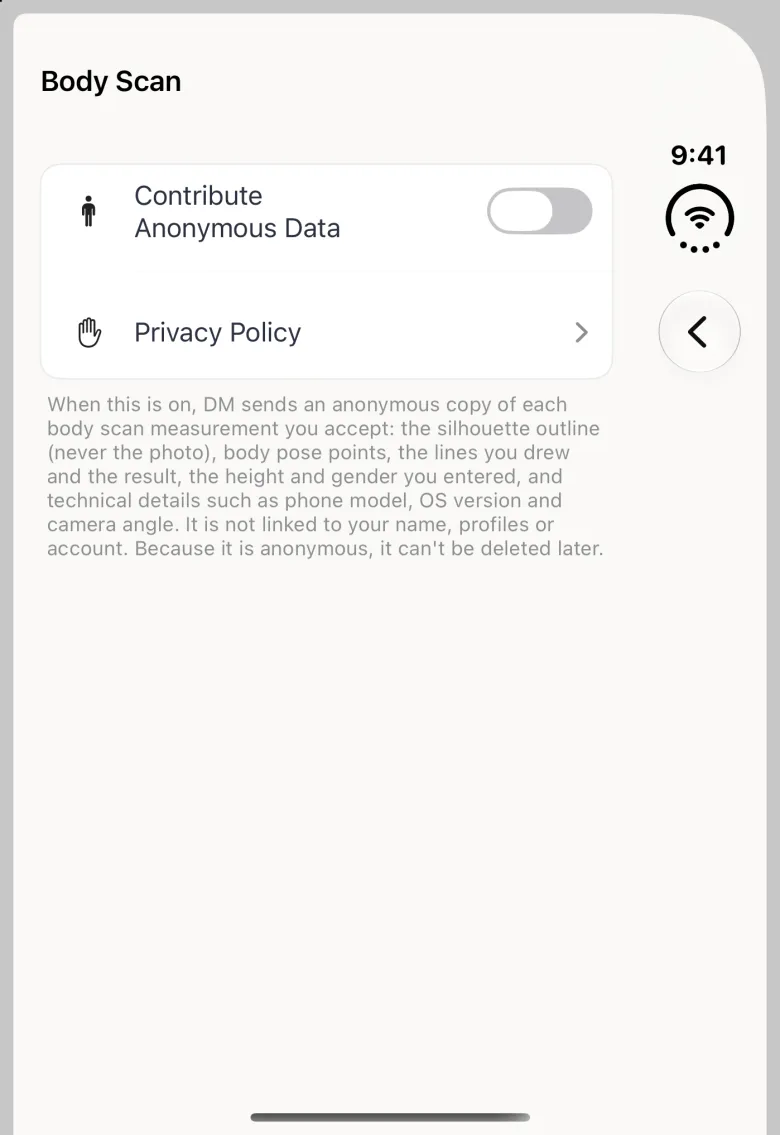
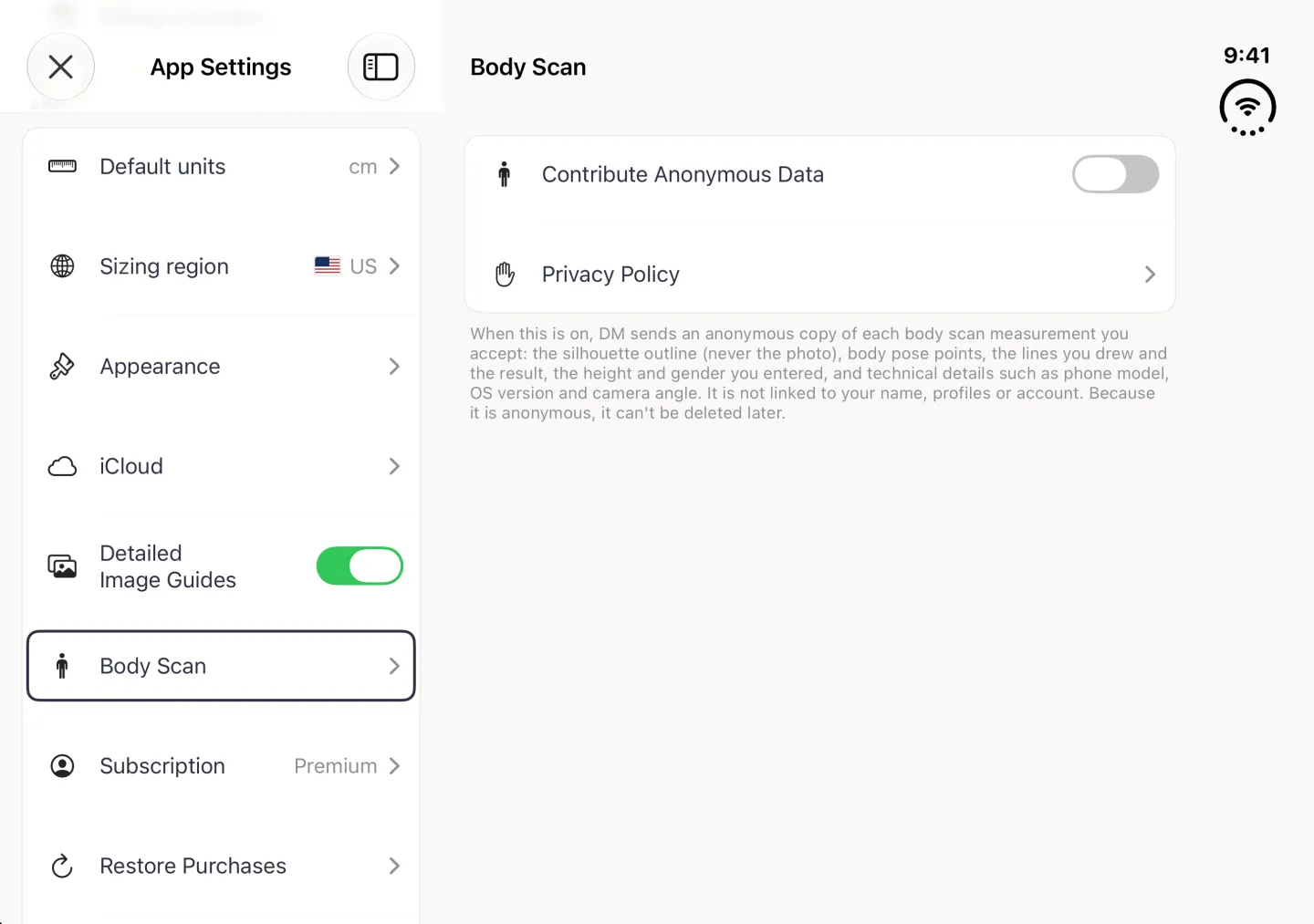
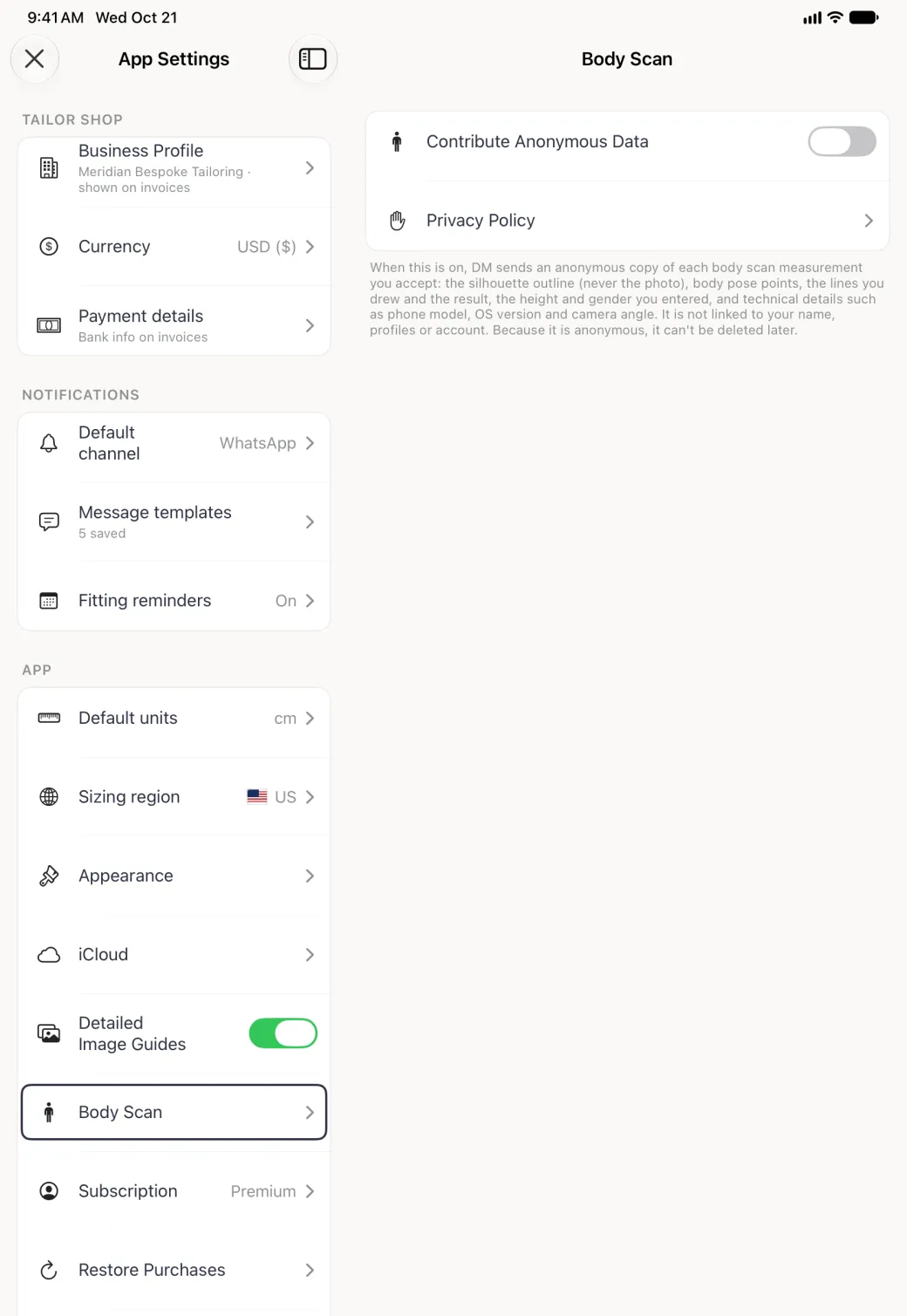
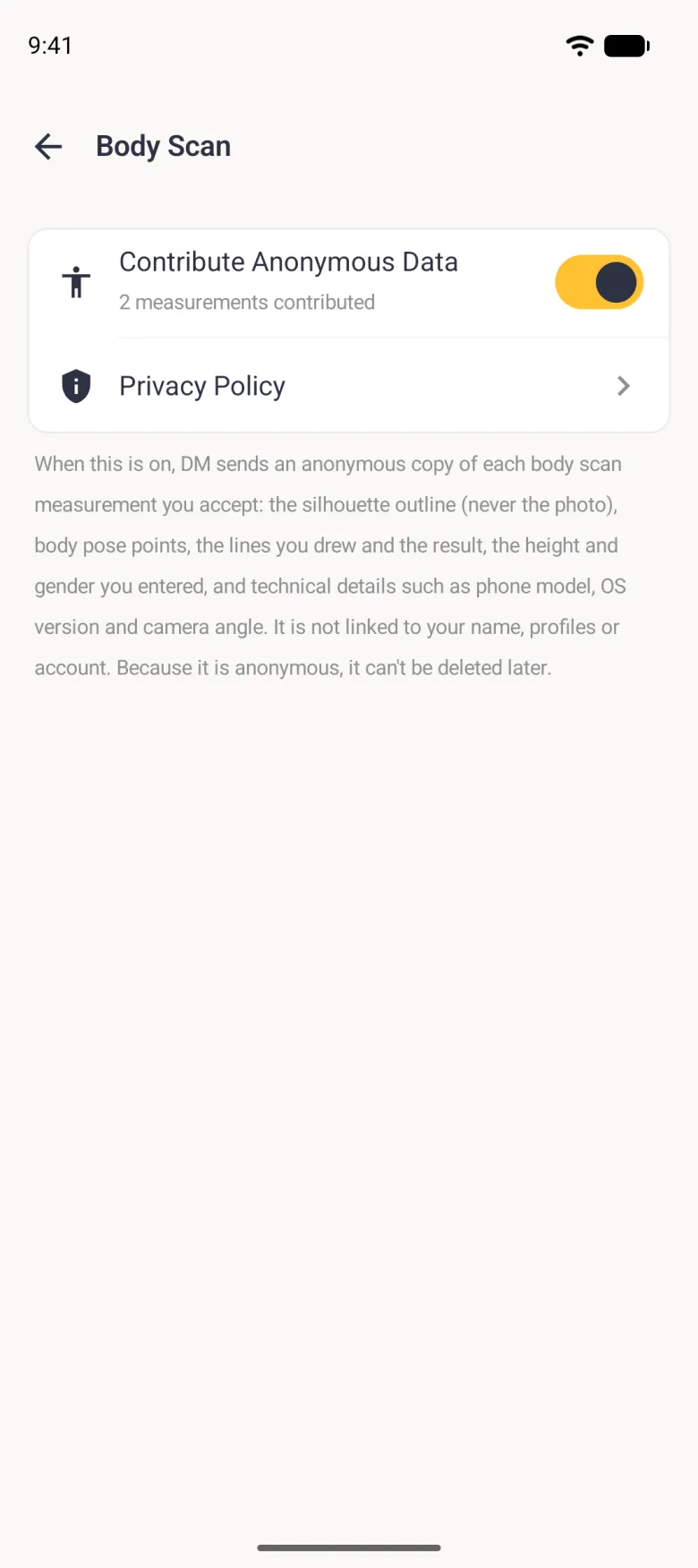
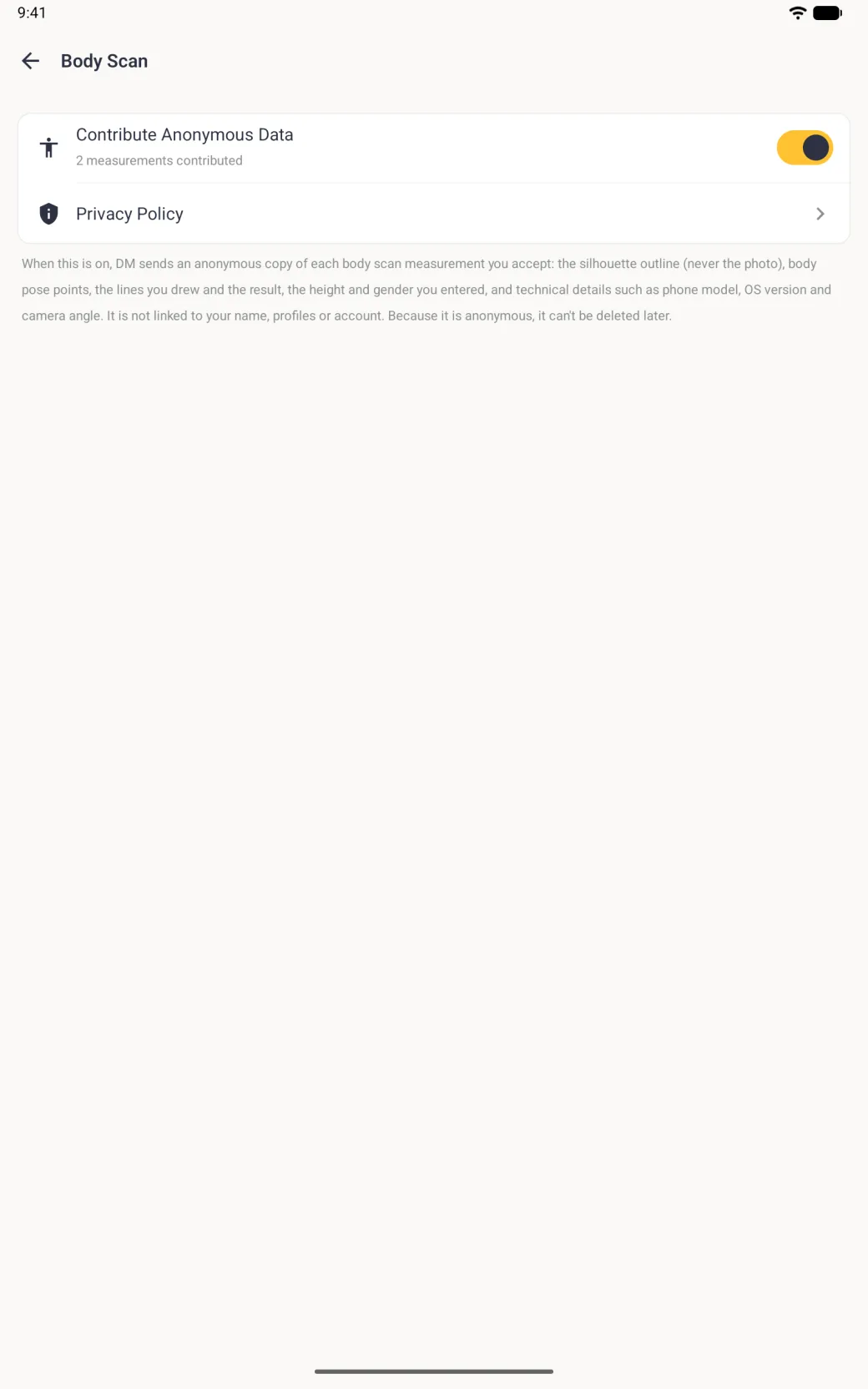
Open App Settings and tap Body Scan. The Contribute Anonymous Data switch there is the one control for sharing, and you can flip it whenever you like. Once you have contributed, the row also shows how many measurements you have shared, and a Privacy Policy row below it opens our privacy page.
- Open the three-dot menu on the home screen, which is the ⋮ menu on Android.
- Tap App Settings, then Body Scan.
- Turn Contribute Anonymous Data on or off.
What happens when I turn it off?
Turning it off stops sharing from then on. It also cancels any uploads in progress and deletes any copies still waiting on your phone to be sent. Copies Dress Measurement has already received stay in the dataset, because nothing in them identifies you, so there is no way to tell which ones came from you or to find and delete them on request.